Case Study
Case Study
Dairy Operations Automation
Company
Confidential
Company
Confidential
Company
Confidential
Services
Requirement Gathering, Excel Automation, Reporting, Inventory Planning
Services
Requirement Gathering, Excel Automation, Reporting, Inventory Planning
Services
Requirement Gathering, Excel Automation, Reporting, Inventory Planning
Industry
Agriculture, Dairy Operations
Industry
Agriculture, Dairy Operations
Industry
Agriculture, Dairy Operations
Year
2022
Year
2022
Year
2022

Diary Management and Operations Monitoring Tool
The Challenge
Lack of structured operational reporting
Manual data entry and ad-hoc tracking
Difficulty in inventory planning, resulting in feed wastage and spoilage
No digital system in place for tracking resource usage
The Challenge
Lack of structured operational reporting
Manual data entry and ad-hoc tracking
Difficulty in inventory planning, resulting in feed wastage and spoilage
No digital system in place for tracking resource usage
The Challenge
Lack of structured operational reporting
Manual data entry and ad-hoc tracking
Difficulty in inventory planning, resulting in feed wastage and spoilage
No digital system in place for tracking resource usage
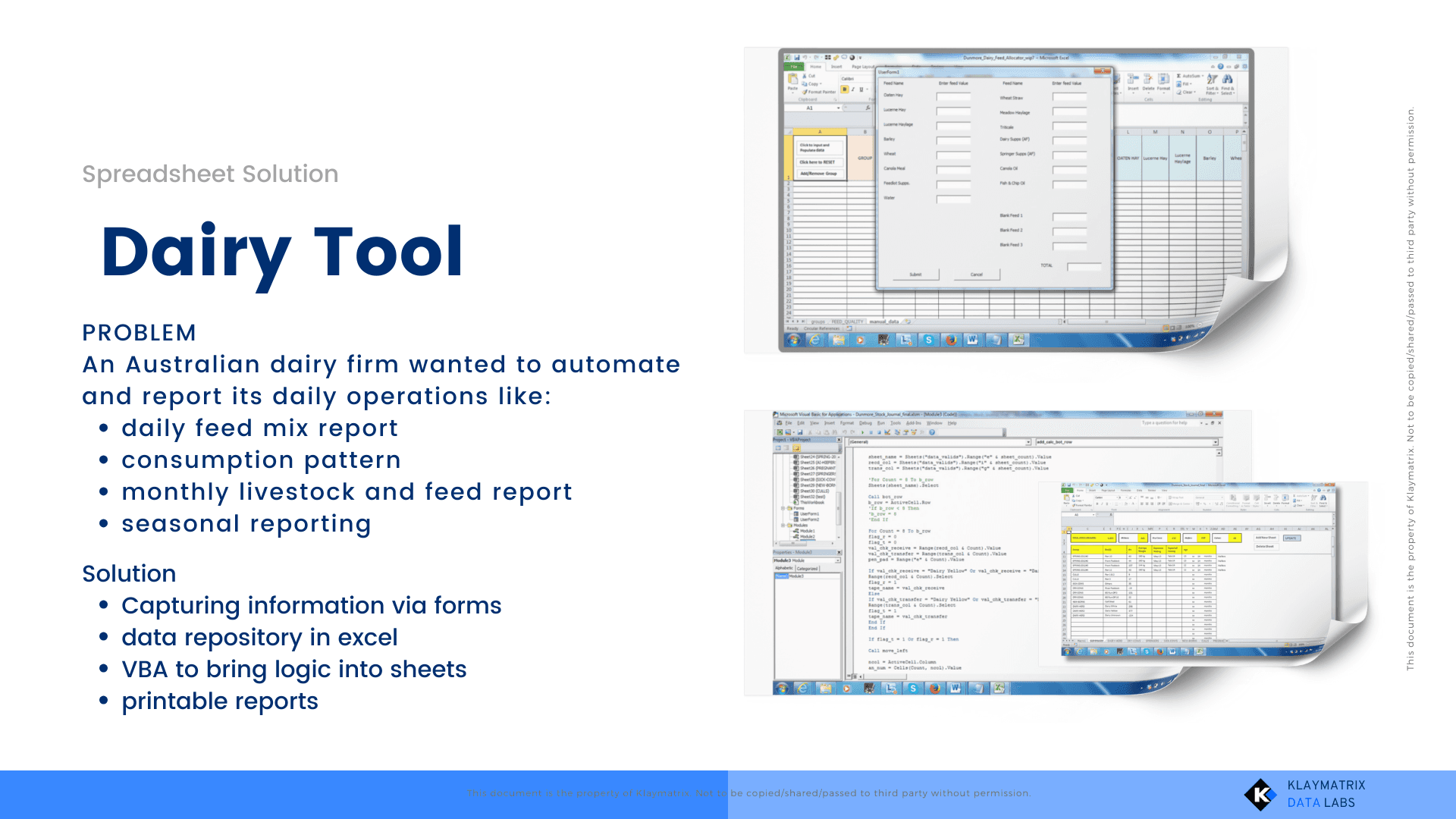
Our Solution
Clean and user-friendly input interface
Robust VBA backend to process and calculate KPIs
Conducted detailed requirement analysis and documented functional needs
Designed input forms in Excel for various operational areas (e.g., feed usage, milk output, inventory)
Used VBA to automate calculations and backend logic
Developed automated reports across separate sheets for daily and weekly review
Enabled collation of data from multiple Excel files
Implementation Highlights
Clean and user-friendly input interface
Robust VBA backend to process and calculate KPIs
Reports separated by function: feed planning, production output, waste tracking
Ability to scale and adapt to operational changes
No third-party software required, runs entirely within Excel
Demonstrated Expertise
Excel can be scaled into a powerful operational tool with planning if used efficiently
VBA automation for repetitive and rule-based tasks can be easily done without using any extra tool
Deep requirement gathering ensures solutions are business-fit
Even small businesses can gain from process automation without investing in expensive platforms
Ready to Solve Similar Challenges?
Let’s talk. Reach out to us on support@klaymatrix.com
Our Solution
Clean and user-friendly input interface
Robust VBA backend to process and calculate KPIs
Conducted detailed requirement analysis and documented functional needs
Designed input forms in Excel for various operational areas (e.g., feed usage, milk output, inventory)
Used VBA to automate calculations and backend logic
Developed automated reports across separate sheets for daily and weekly review
Enabled collation of data from multiple Excel files
Implementation Highlights
Clean and user-friendly input interface
Robust VBA backend to process and calculate KPIs
Reports separated by function: feed planning, production output, waste tracking
Ability to scale and adapt to operational changes
No third-party software required, runs entirely within Excel
Demonstrated Expertise
Excel can be scaled into a powerful operational tool with planning if used efficiently
VBA automation for repetitive and rule-based tasks can be easily done without using any extra tool
Deep requirement gathering ensures solutions are business-fit
Even small businesses can gain from process automation without investing in expensive platforms
Ready to Solve Similar Challenges?
Let’s talk. Reach out to us on support@klaymatrix.com
Our Solution
Clean and user-friendly input interface
Robust VBA backend to process and calculate KPIs
Conducted detailed requirement analysis and documented functional needs
Designed input forms in Excel for various operational areas (e.g., feed usage, milk output, inventory)
Used VBA to automate calculations and backend logic
Developed automated reports across separate sheets for daily and weekly review
Enabled collation of data from multiple Excel files
Implementation Highlights
Clean and user-friendly input interface
Robust VBA backend to process and calculate KPIs
Reports separated by function: feed planning, production output, waste tracking
Ability to scale and adapt to operational changes
No third-party software required, runs entirely within Excel
Demonstrated Expertise
Excel can be scaled into a powerful operational tool with planning if used efficiently
VBA automation for repetitive and rule-based tasks can be easily done without using any extra tool
Deep requirement gathering ensures solutions are business-fit
Even small businesses can gain from process automation without investing in expensive platforms
Ready to Solve Similar Challenges?
Let’s talk. Reach out to us on support@klaymatrix.com
More Cases
More Cases
More Cases
Curious for more? Explore additional case studies and see what’s possible for your business too





Reach out, and we’ll take it from there — with a clear path, structured guidance, and measurable next steps
Phone
+91 9971796261
support@klaymatrix.com
Opening Hours
Mon to Sat: 9.00am - 7.30pm
Sat & Sun: Closed
Services

KLAYMATRIX.
Reach out, and we’ll take it from there — with a clear path, structured guidance, and measurable next steps
Phone
+91 9971796261
support@klaymatrix.com
Opening Hours
Mon to Sat: 9.00am - 7.30pm
Sat & Sun: Closed
Services
Reach out, and we’ll take it from there — with a clear path, structured guidance, and measurable next steps
Phone
+91 9971796261
support@klaymatrix.com
Opening Hours
Mon to Sat: 9.00am - 7.30pm
Sat & Sun: Closed
Services